
Know every plant
you walk past.
Pay by the photo.
Point your camera at a leaf, a flower, a mystery seedling in the corner of the yard. Seconds later you have the species, how to keep it alive, and whether the spots on it are something to worry about. Most plant apps want a subscription. This one wants ninety-nine cents.
- $0.99
- for your first two IDs
- $0.20
- per ID on the 50 pack
- $0.00
- per month, forever
You identify plants a few times a year.
So why pay every month?
Plant identification is a thing you need on a walk, at a garden centre, or the day something on the windowsill starts looking unwell. Budget Plant ID prices it that way: a few cents when you use it, nothing when you don't.
The usual deal
A subscription
- A recurring charge whether you identify one plant or none
- A free trial that turns into a yearly plan if you forget
- Features that drift behind higher tiers over time
- A cancellation you have to remember to make
Budget Plant ID
$0.99 to start
- A pack of credits, bought once, spent whenever
- No trial to forget and nothing to cancel
- Every feature included on every identification
- A balance that sits there until you use it
One photo. One credit. About ten seconds.
No forms, no keys, no wading through a field guide to find out which of forty maples you are looking at.
- 01
Take the photo
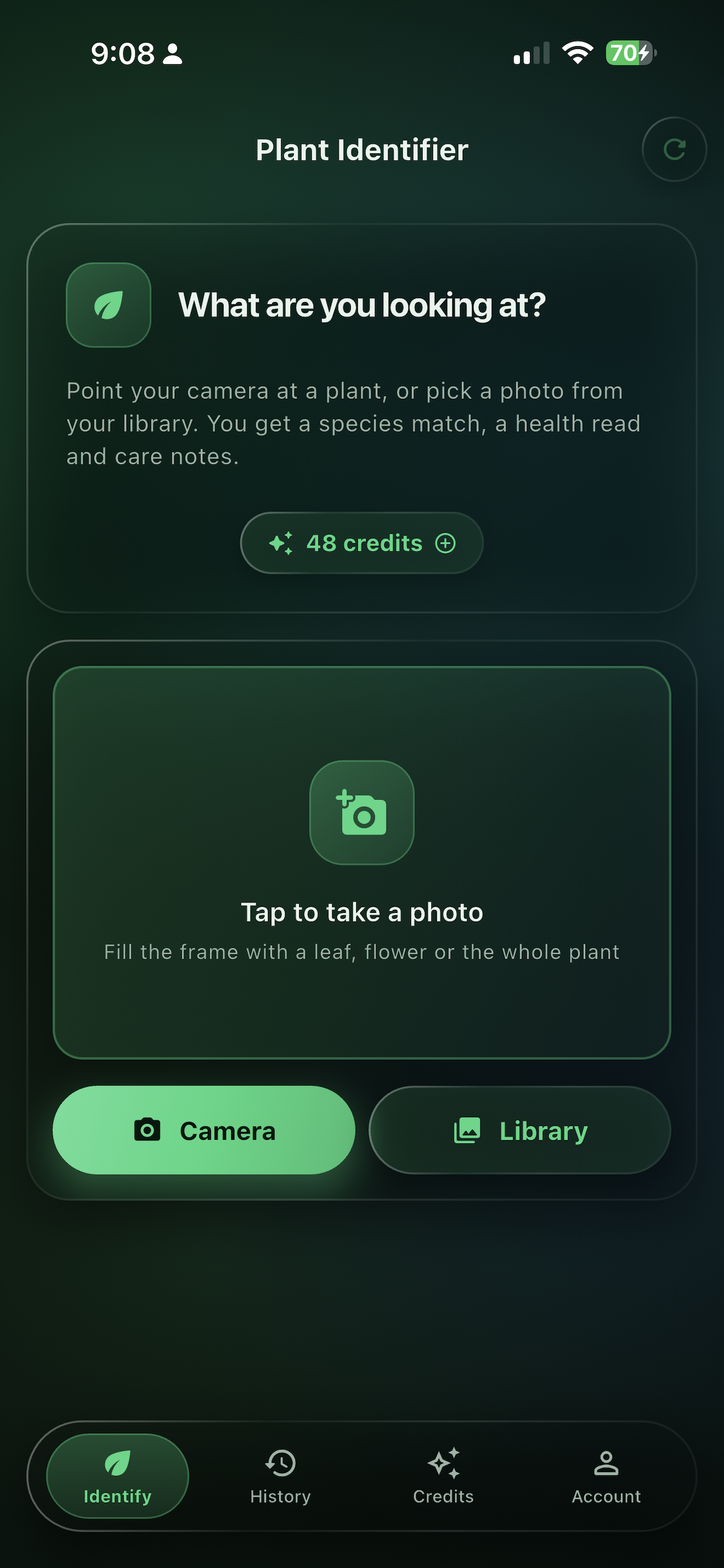
Shoot it live or pull one from your library. A leaf, a flower, a fruit, a strip of bark — anything the plant will show you.
- 02
It reads the details
Leaf shape, margins and venation. Petal count and arrangement. Stem texture, growth habit, and any spotting or damage on the way through.
- 03
You get an answer
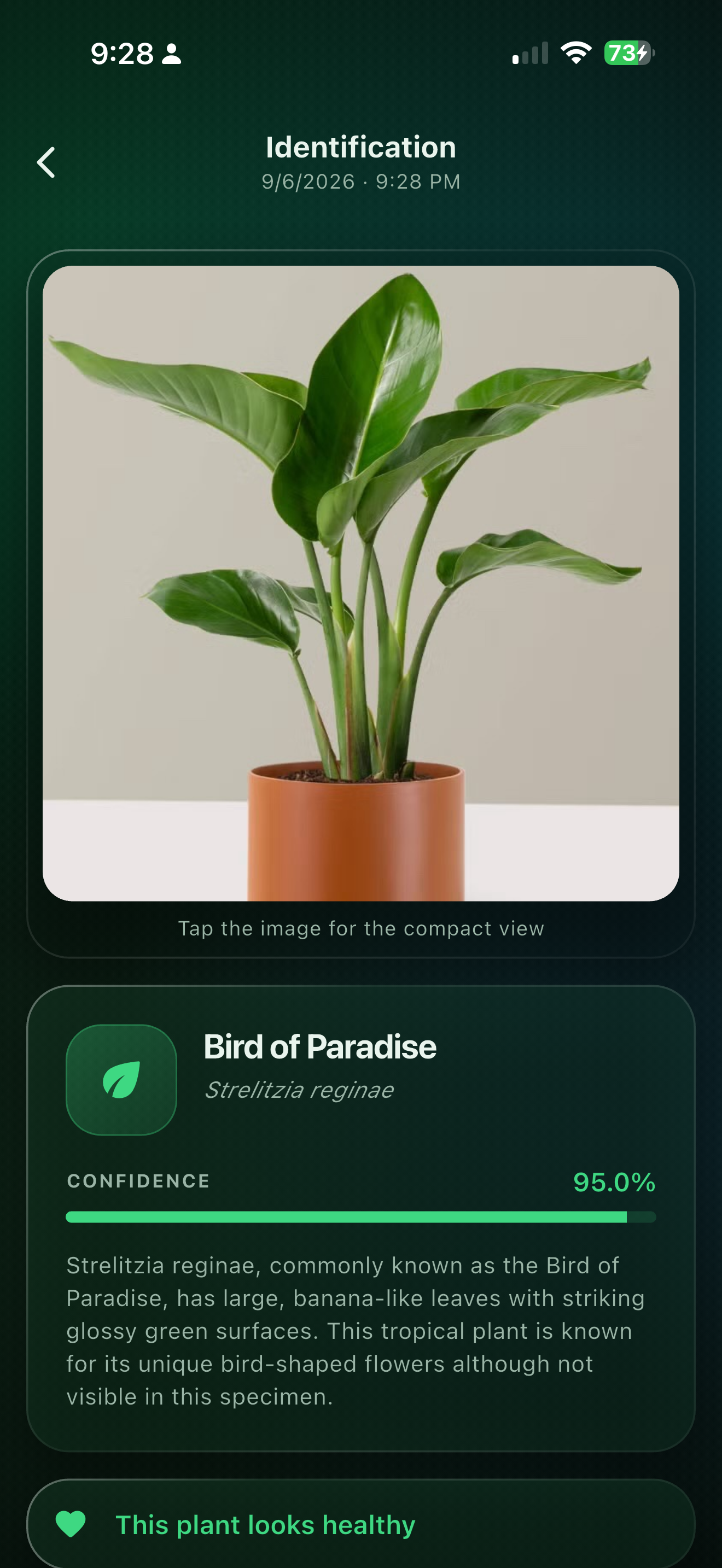
Three to five ranked candidates with confidence scores, a full care guide for the top match, and a verdict on the plant's health.
Not just a name. The whole picture.
One identification returns everything below. There is no premium tier holding half of it back.
Identified
Japanese banana
Musa basjoo
A hardy, clump-forming banana from the Ryukyu Islands of southern Japan, grown across cool temperate gardens for its paddle-shaped leaves rather than its fruit.
- Water
- Deeply and often through summer; let the top inch dry between drinks
- Light
- Full sun to light shade, sheltered from wind
- Soil
- Rich, free-draining loam kept consistently moist
Taxonomy
Plantae · Tracheophyta · Liliopsida · Zingiberales · Musaceae · Musa
An illustration of a result, in the site’s styling. Field names and structure match what the app returns.
Ranked candidates
Three to five species, each with a confidence score, so you can see when two close relatives are in play.
Common names & synonyms
What the plant is called locally, in the trade, and in the literature — plus the names it used to go by.
Full taxonomy
Kingdom down to species, for when you want to know what family you are actually dealing with.
Edible parts & toxicity
Whether any of it can be eaten, and whether any of it should be kept away from a cat or a toddler.
Health check
Spotting, mildew, rust, curling, chewed edges — flagged with a likely diagnosis, its cause, and organic or chemical treatments.
Propagation & uses
How to make more of it, and what people have traditionally done with it.
Small app. Nothing missing.
Everything here is included with every identification — there is only one tier, and you are already on it.
Camera or library
Shoot the plant in front of you, or dig out that photo from a hike three weeks ago.
Fruit, veg and herbs too
A tomato on the vine, a bunch of supermarket herbs, a seed in your palm — harvested plant parts identify just as well, with ripeness, storage and culinary notes.
Disease diagnosis
Powdery mildew, leaf spot, rust, root rot. When the app sees a problem it names it, explains what causes it, and gives you two ways to treat it.
Searchable history
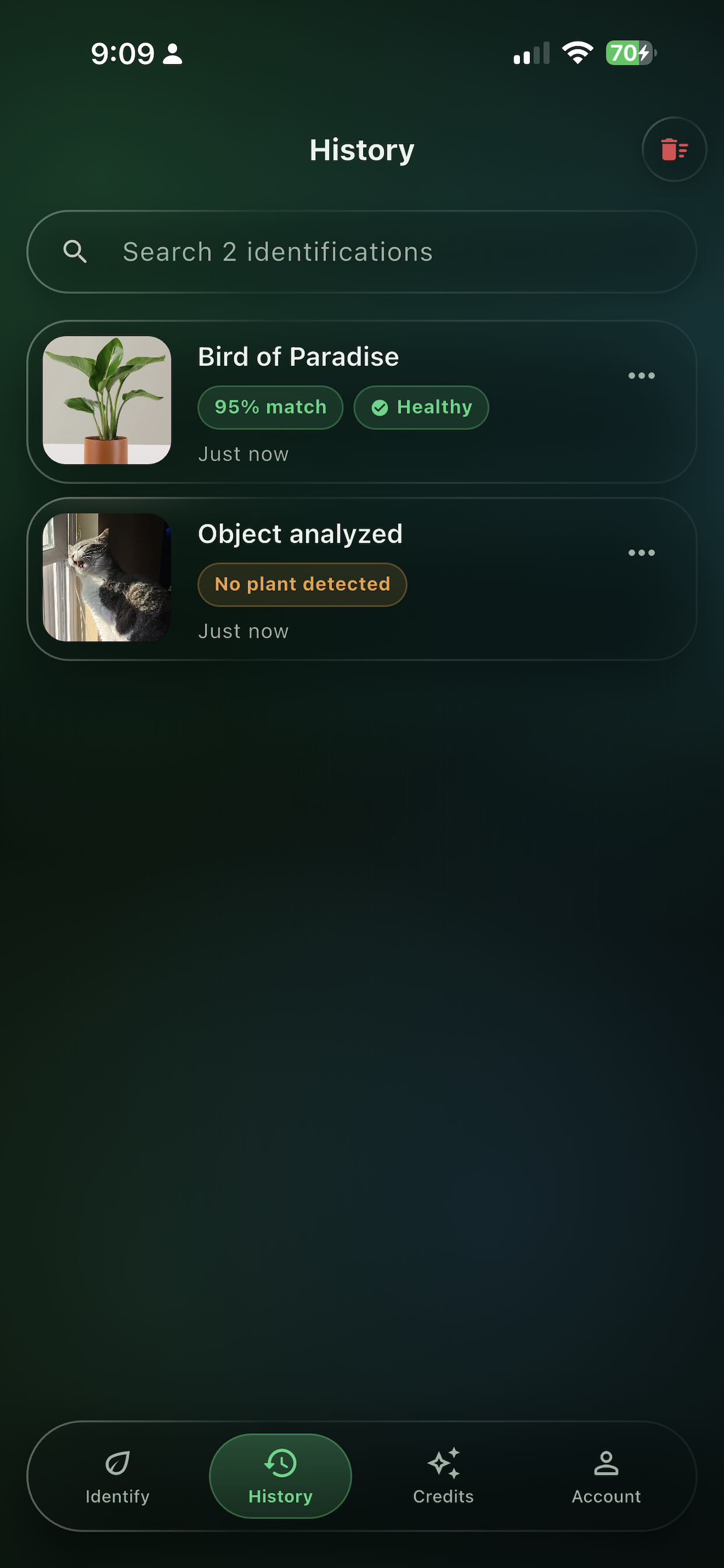
Every identification is saved with its photo, date and confidence. Search it by name months later when you finally decide to repot.
Honest about uncertainty
Confidence scores are shown, not hidden. If a photo is not a plant at all, the app says so rather than inventing a species.
Light, dark, or system
Bright glass over a pale aurora, or smoked glass over a deep one. It follows your phone unless you tell it otherwise.
Sign in your way
Apple, Google or email. Your credits and history follow you to a new phone.
Yours to delete
Delete your account from inside the app and your history goes with it. No email thread required.
Free to download. Credits when you need them.
One credit is one identification. Buy a pack in the app, spend it whenever — there is no expiry date and no recurring charge.
2 Pack
$0.99
2 identifications
$0.50 each
Try it out
5 Pack
$1.99
5 identifications
$0.40 each
A walk in the park
10 Pack
$2.99
10 identifications
$0.30 each
A whole garden bed
20 Pack
$4.99
20 identifications
$0.25 each
A season of questions
50 Pack
$9.99
50 identifications
$0.20 each
For the plant obsessed
Fifty identifications for $9.99, bought once. It does not renew, it does not lapse, and there is nothing to cancel.
Download on theApp StorePrices shown in US dollars. Your local App Store price may differ.
The things people ask first
Is there really no subscription?
None. Budget Plant ID is a free download with one-time credit packs. There is no recurring charge, no trial that quietly converts, and no paywall that grows over time. Buy a pack, use it whenever you like.
What exactly is a credit?
One credit is one identification. You get the ranked species matches, the care guide, the health check and everything else on the result — all of it, for that single credit. Nothing else in the app costs credits.
Do credits expire?
No. Credits sit in your account until you spend them. There is no clock, no monthly reset and no use-it-or-lose-it balance.
How accurate is it?
Every photo is analysed against leaf shape, venation and arrangement, flower structure, stem and bark texture, and overall growth habit, then returned as three to five ranked candidates with a confidence score on each — so you can see when the app is certain and when it is guessing between close relatives. Clear, well-lit photos of leaves and flowers give the best results.
Can it tell me if my plant is sick?
Yes. Alongside the species match, each identification is screened for spots, mildew, rust, chewed or curling leaves, discolouration and wilting. If something looks wrong you get the likely diagnosis, its cause, and both organic and chemical treatment options.
Do I need an account?
Yes — sign in with Apple, Google or an email address. The account is what holds your credits and your identification history, so a new phone picks up exactly where the old one left off. You can delete the account, and everything in it, from inside the app.
Does it work offline?
Identification needs a connection, since the analysis runs on a server rather than on your phone. Your saved history is a tap away whenever you are back online.
Is it on Android?
Not yet — Budget Plant ID runs on iPhone, iPad, Mac with Apple silicon and Vision Pro today. Email us if you would like to hear about it when that changes.
How do I restore a purchase?
Open the Buy Credits tab and tap the restore icon in the top bar. Anything bought with your Apple Account is validated again and returned to your balance.
Still stuck? grant@thebitlion.com reaches a person.
There is a plant near you
you cannot name yet.
Download Budget Plant ID free, buy two identifications for the price of a gumball, and find out what it is.
iPhone · iPad · Mac · Vision Pro · Education · Rated 4+